From project knowledge retention to compliance tracking, learn how AI and a modern digital workplace help construction teams stay connected, efficient, and audit-ready.
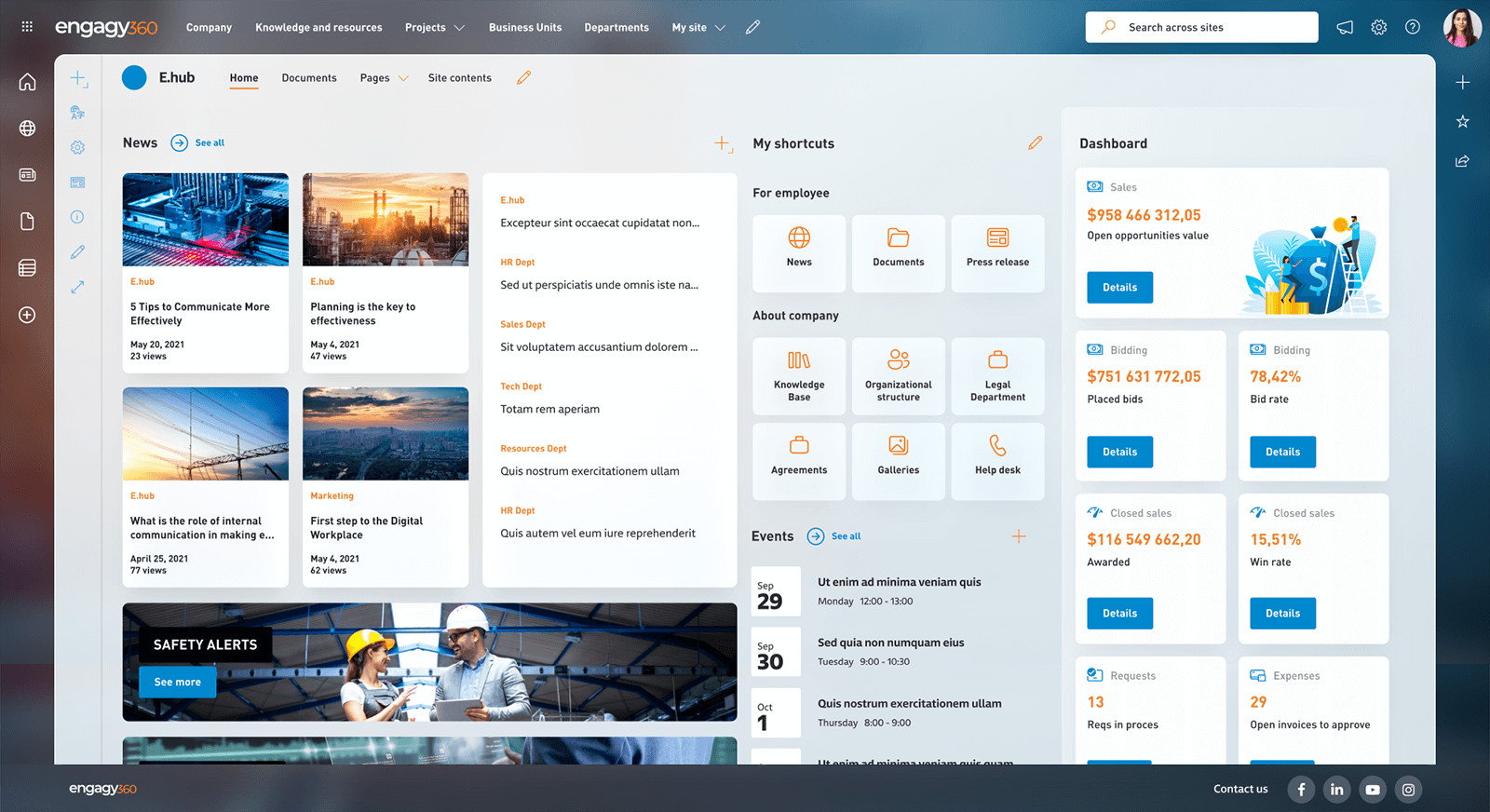
The construction industry operates in a fast-paced, high-stakes environment where efficiency, safety, and collaboration are critical. With teams spread across offices and project sites, seamless communication is essential to keep employees informed and engaged—regardless of their location. Yet, the need for agility must not come at the expense of compliance; documentation must be meticulously maintained to meet regulatory requirements and audits.
Additionally, retaining and sharing specialized knowledge is key to staying competitive in an industry where expertise sets businesses apart. Engagy360 equips construction teams with the digital tools they need to streamline communication, enhance collaboration, and ensure that vital knowledge is preserved and accessible helping your business build smarter, safer, and more efficiently. Read on to discover how Engagy360 empowers construction businesses to thrive.
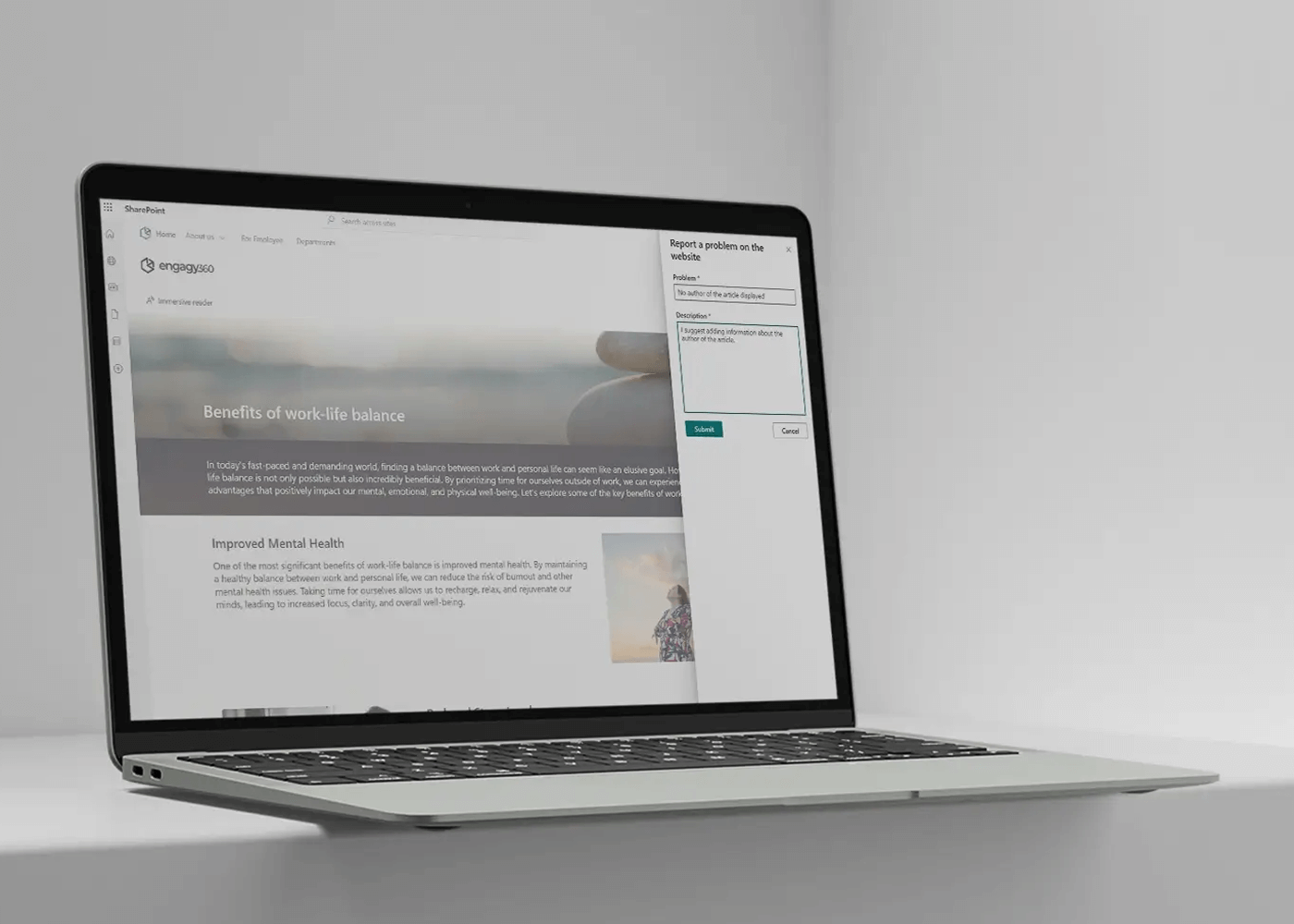
Keep critical project-specific knowledge organized with a structured, categorized documentation system, ensuring valuable insights are always accessible.
Valuable project insights shouldn’t get lost in scattered documents or siloed systems. With Engagy360, you can establish a structured, categorized knowledge base that keeps critical information accessible at all times. Predefined templates and wiki extensions transform SharePoint into a fully functional knowledge repository, complete with automatic navigation strips, tables of contents, and article properties – ensuring effortless discovery. Advanced taxonomy support helps structure information in an intuitive way, while built-in feedback mechanisms provide insights into content relevance and usage. With Engagy360, your teams can easily capture, organize, and share project knowledge – without the administrative burden.
Improve collaboration and reduce IT workload by enabling teams to create project spaces independently, keeping workflows agile and efficient.
Effective collaboration is essential for successful construction projects, requiring teams to exchange files, manage tasks, and share updates effortlessly. Traditional tools like email often create bottlenecks, making it difficult to keep up with fast-paced workflows. While dedicated project workspaces help, if they aren’t easily accessible, employees may revert to inefficient methods. Engagy360 solves this by enabling self-service site creation, allowing teams to set up collaboration spaces instantly. At the same time, it ensures governance through approval-based creation, structured membership reviews, and automated reminders, preventing content sprawl while keeping project spaces relevant and well-organized.
Use galleries and rich media content to share project updates, highlight achievements, and maintain transparency with stakeholders.
Construction projects move fast, requiring frequent updates on progress, safety protocols, key milestones, and regulatory compliance. Communicating these effectively can be challenging, but a picture is worth a thousand words – using images and videos can save time while making messages clearer and more engaging. Engagy360 empowers teams to share updates through rich media, helping employees stay informed even while on the move. With intuitive tools, creating visually compelling news and articles takes just a few clicks. Additionally, organized image repositories and galleries streamline marketing efforts, ensuring the latest project visuals are always available for go-to-market resources.
Automatically generate key updates and reach deskless employees instantly via push notifications, keeping everyone informed.
Keeping detailed records and publishing updates in project-oriented environment is essential, but tight deadlines often leave little time for content creation. Engagy360 streamlines this process with AI-powered editor functions, including article suggestions, drafting assistance, and writing recommendations – helping you produce high-quality content with minimal effort. Additionally, reaching employees efficiently is just as crucial. In a fast-paced world, important messages can get lost in overflowing inboxes. Engagy360’s push notifications deliver targeted updates directly to Microsoft Teams, ensuring that deskless workers and office teams alike stay informed without disrupting their workflow.
Store and manage essential safety and compliance documents within your intranet, ensuring easy access and regulatory adherence.
Leverage one of SharePoint’s most powerful capabilities – document management – to securely store, organize, and control access to critical safety and compliance records. Engagy360 enhances these functionalities by seamlessly integrating document libraries into your intranet, making it easy to manage due diligence files, technical documentation, and regulatory reports. Built-in approval workflows streamline content validation, while template mechanisms ensure consistency across all documents.
Engagy360 advanced notification features allow you to set alerts on key documents and track employee engagement—ensuring compliance materials are read and acknowledged as needed.
Maintain momentum with onboarding templates tailored to construction roles, accelerating productivity from day one.
Employee retention is crucial, but workforce changes are inevitable. Every new hire requires an effective onboarding process to become productive quickly—yet too often, valuable time is lost searching for information, identifying the right contacts, or waiting for guidance. A well-structured onboarding system minimizes these delays, ensuring new employees can contribute sooner. Engagy360 streamlines onboarding by providing ready-made templates for employee zones and structured, role-based onboarding journeys. Whether for on-site or remote teams, these tailored experiences help new hires quickly integrate into their roles, reducing ramp-up time and improving overall efficiency.
See your intranet come to life before you commit. With Engagy360, you don’t just imagine your ideal digital workplace. You get a working prototype tailored to your organization, ready to explore and test. Schedule a demo and see your intranet in action!
Book a demo