
SharePoint intranets rarely fail because of the platform. Most problems come from rushed rollouts and skipped intranet planning. Teams jump straight into design. They pick layouts and configure web parts right away. They postpone planning, or forget about it altogether.
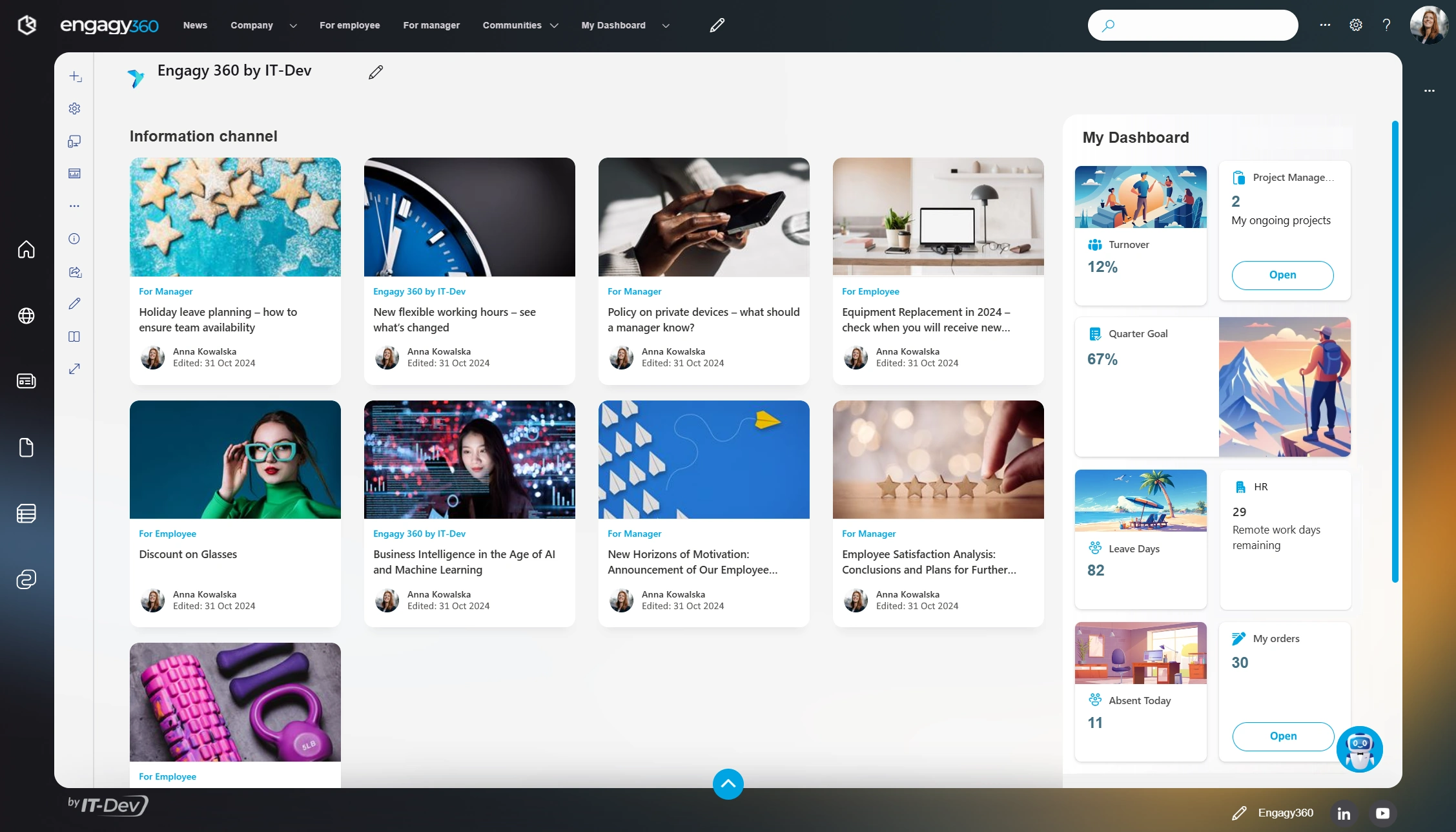
Figure 1. A Landing Page of a Modern Intranet
Months later, the content has grown without structure or clear ownership. Pages contradict each other, and updates slow down. Employees distrust the Intranet and no longer treat it as a reliable source. Soon, no one will be using your portal, neither editors nor readers.
You can avoid this. Start with real user needs and a clear governance model, then build the Intranet around them. These activities help you create an effective intranet strategy. And, as a result, create an intranet that people will really use.
An intranet is not a website. It is a work tool. Employees visit it with a clear goal in mind. They want answers, expecting clarity.
Without planning, the Intranet mirrors the org chart instead of supporting real work.
Does it mean that org-chart-based intranets are bad? Not at all. The intranet structure itself does not define success. The way you came up with this structure does. As long as your intranet results from conscious decisions, you are fine. You should decide what the Intranet is for. And, even more importantly, what it is not. Planning makes those decisions easier.
A clear plan saves you from rework. It also secures the long-term success of your company’s Intranet. According to the Forbes Communication Council, Intranet planning boosts:
This article explains the most essential parts of an intranet plan. Who, What, and How.
Every Intranet has users. But not all users are the same. Some people read content, others create it. Some visit every day, others visit only when they need help.
You need to understand this early. Ask your team:
If you skip this step, your users will try to solve their problems—each on their own. As a result, content grows at random. Navigation becomes unclear. Adoption drops, and the portal you worked so hard to build becomes obsolete.
You can start by defining personas. Experts say personas are essential to a user-centric design. They typically consist of the following:
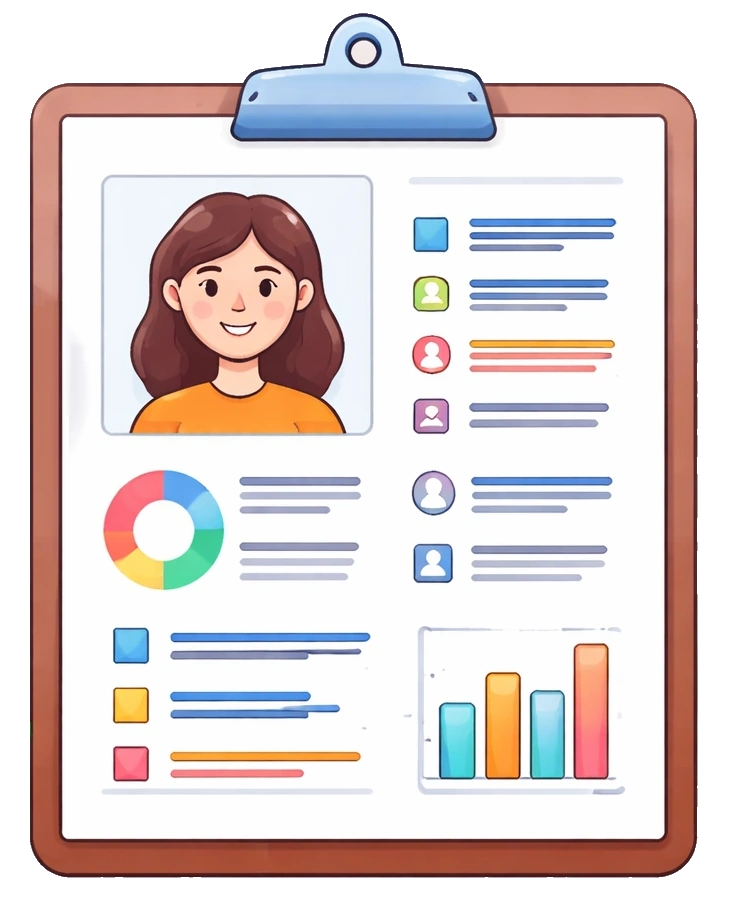
Figure 2. Persona descriptions helps you streamline your Intranet goals
You do not need complex personas. You should keep them simple. Focus on essential info. Look for patterns:
Always consider user expectations. Intranets are rarely business-critical systems. Employees will only use them if they see value in them. If you do not know where to start, use short surveys or usage analytics. Tools like Microsoft Teams and Microsoft Forms can help you gather feedback quickly.
You already know who will use your Intranet. You should now define what users will use it for. Writing down information architecture (IA) is the best way to do it.
IA lists all planned content. It shows how pieces fit together. It outlines the information design of your Intranet.
Two UX methods can help you here:
The planning phase allows you to clean up your storage. You can run a content audit. Remove old, trivial, and duplicated content. You can free your digital space. It will also reduce long-term maintenance costs.
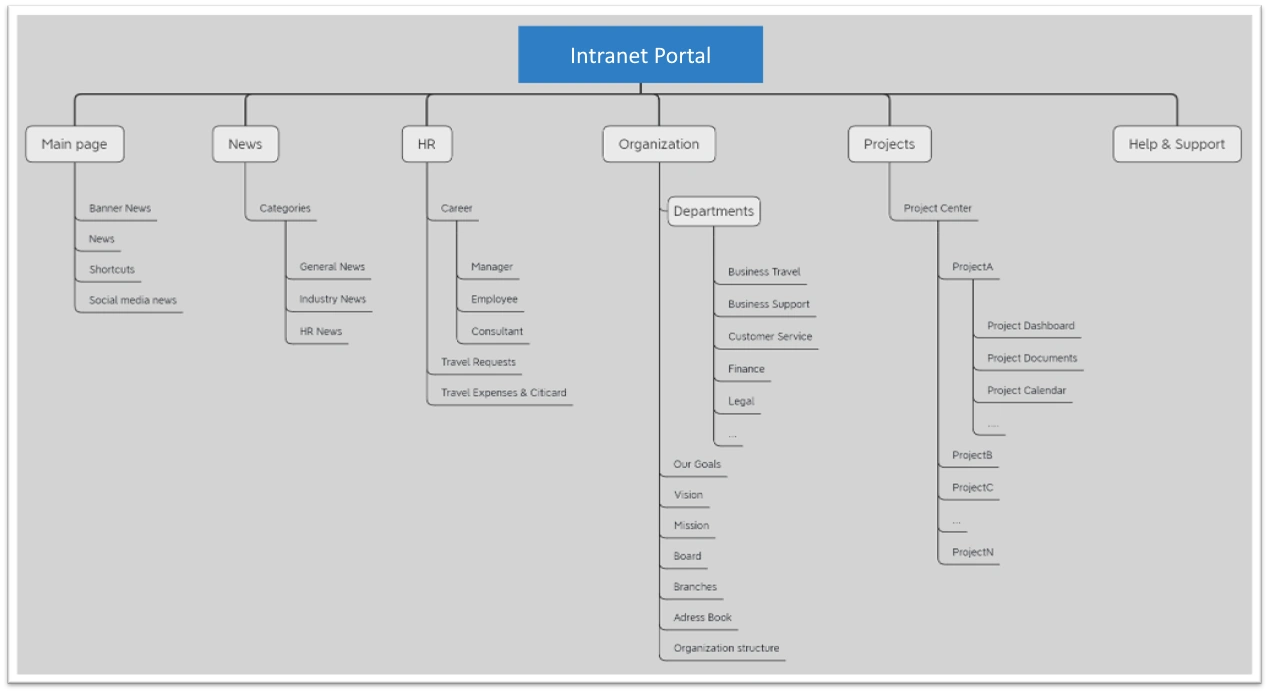
Figure 3. Simple information architecture
Once you have your IA defined, it is time for navigation. It helps users move through your content. Think of it in two dimensions.
Defining navigation should not be a challenge. Do you have problems anyway? You should rethink your IA. Is it minimal? Isn’t it repetitive? Are the topics not separated enough from each other?
You may need to take a step back. Amend your IA in place or two.
A good example is HR-related information. You can think of it as a part of the HR department site. You can also put it in the Employee section of your portal. Or an onboarding one. Which one is correct? The one your employees will assume. And if your tree results in a tie, it indicates that a linking relation is needed.
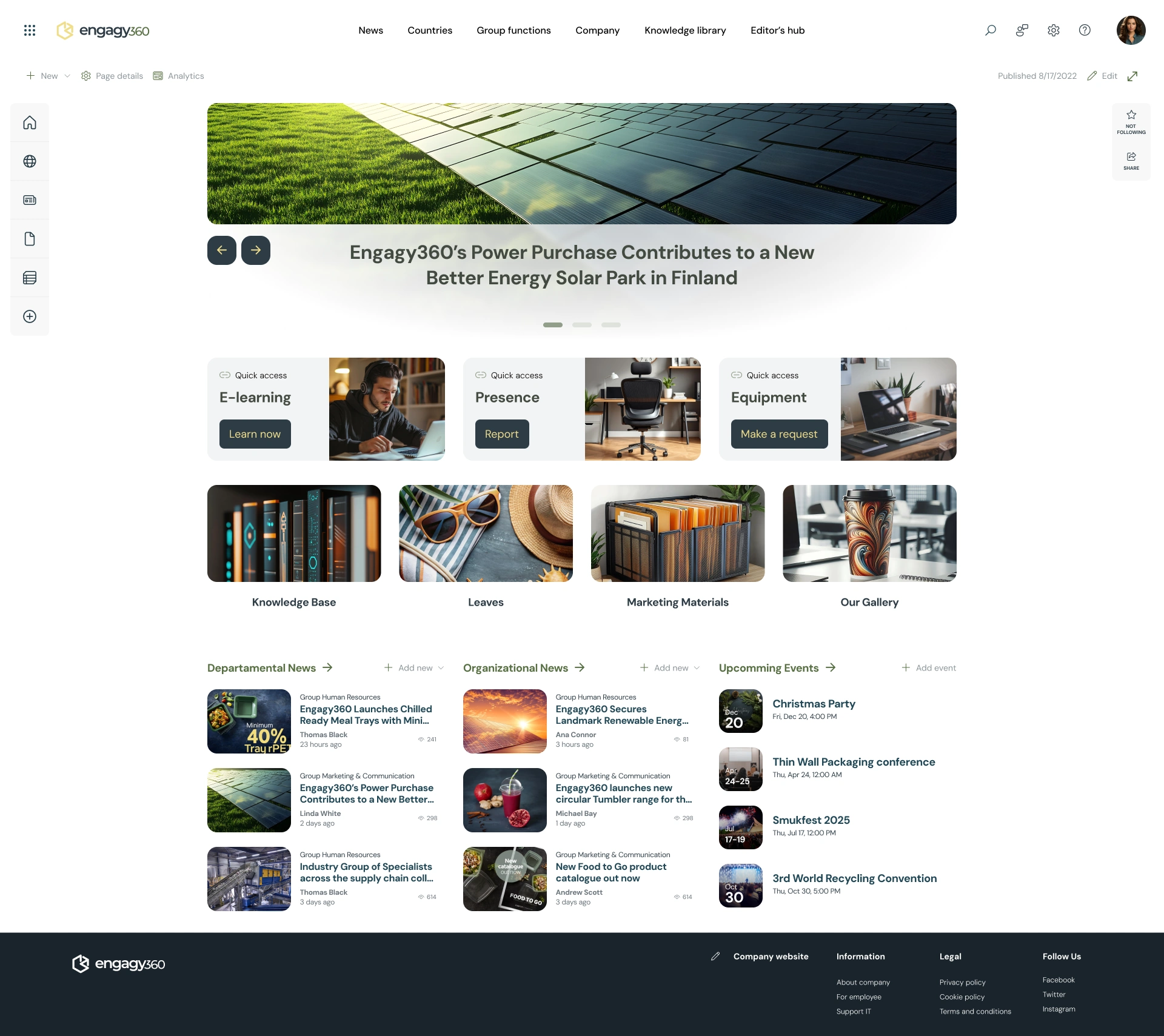
Figure 4. Intranet Portal with top and footer navigation menus
With AI and navigation defined, you can map your content. It is a vital step of an intranet planning. What platform elements to use? And where?
SharePoint gives you many tools to structure your content. You can use Hub Sites and Sites for your main content areas. Inside them, you can organise information with libraries, lists, folders, and pages. SharePoint gives you navigation mechanisms, too. You can use different types of navigation (global, hub, local, footer, in-page) for various use cases.
A large Bank decided to implement a new Intranet. Following user feedback, The Bank sought to make the Intranet more concise. They created new intranet areas for each department and topic. They identified who owns each section and who will benefit from accessing it.
Employees no longer had to search through many pages. They were able to find what they needed quickly. The Intranet is now a logical, transparent tool.
The change was a win. The reception was mainly positive. Praise appeared even on users’ social media.
You already know who the Intranet is for. You have defined what it contains. Now you need to decide how it will all work together. It all comes down to defining Intranet governance.
Governance answers simple, but critical questions:
Even 29% of digital transformations fail due to unclear governance. That is why it is so important. It improves your content. Stops it from going stale. When every section has an owner, pages and documents stay relevant. Updates happen faster. Trust grows, instead of declining.
SharePoint supports this just fine. It uses role-based permissions. Access is easy to control. Hub Sites help you here as well. You can apply shared rules across the Intranet. Other sites can follow these rules or adjust them when needed.

Figure 5. Role-based permission approach helps improves the quality of your content
How often does your content need updates? Think this through. Different areas usually follow different rules. Write this down and share it with your editors. It is a vital part of your future governance. It prevents content from becoming outdated.
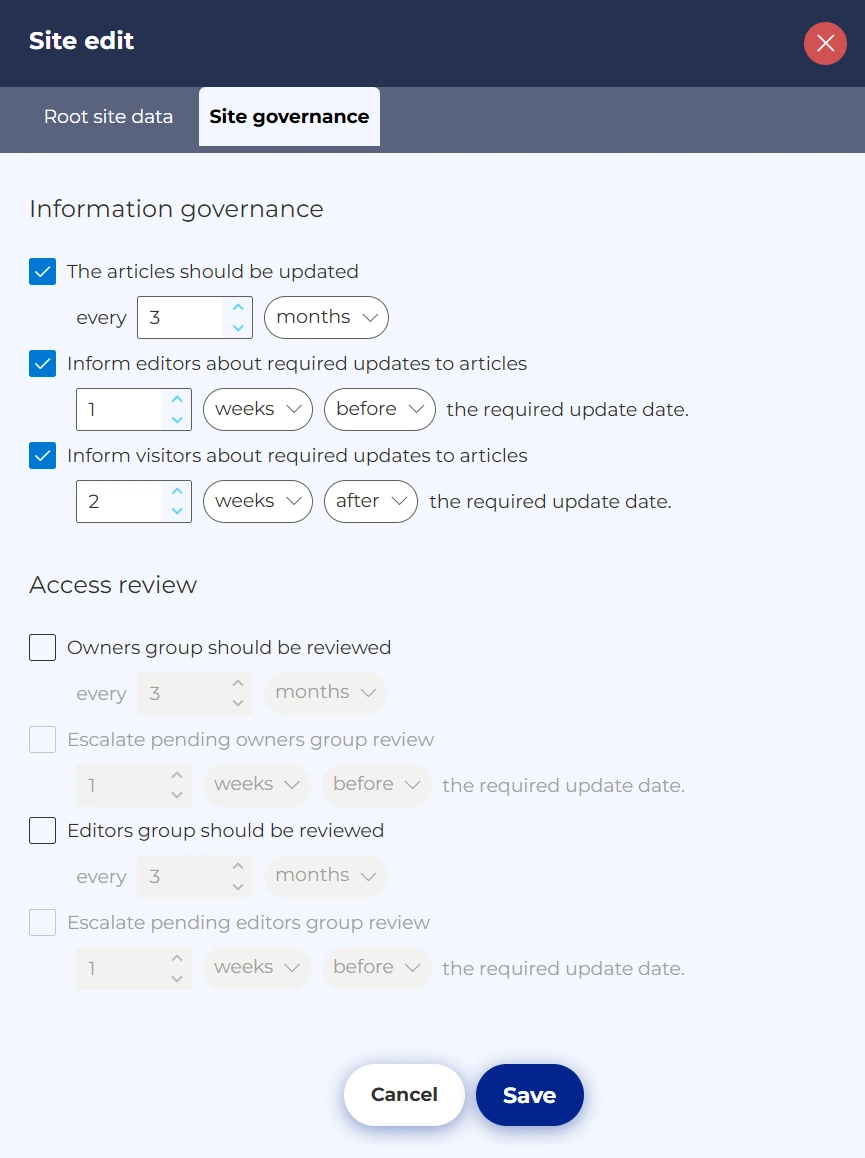
Figure 6. Update reminder settings via 3rd party tool
Do you need new content to be verified? Where should this happen? Capture this as well. You can use Power Automate for content approval. It will further improve content quality. You will control what is published. And when.
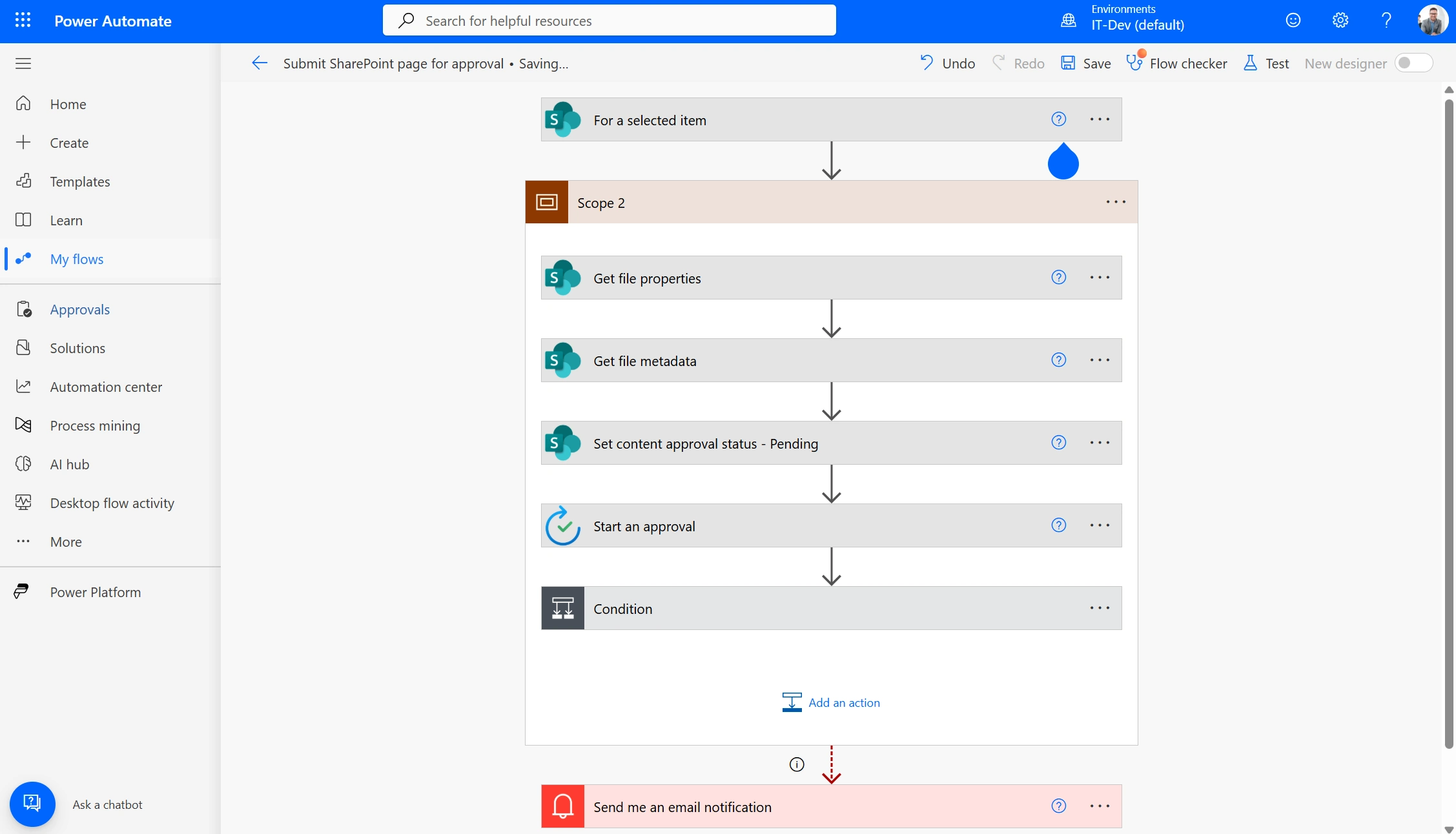
Figure 7. Power automate content approval flow
A commercial airline asked employees which use cases to include in its intranet plans. One need stood out. People wanted easier access to knowledge. There were too many systems that users had to check each time they searched for an answer.
The company created a new knowledge base. They put all relevant data there, creating a single source of truth. The Company designated the owners and agreed on knowledge update schedule. The team closed old repositories and made a dedicated bot that provided quick access to information. The company handled over 400,000 requests in the first year only. They saved more than 10,000 person-hours that users would have spent searching for answers.
With users, structure, and governance defined, your Intranet planning work is complete. You now have a clear intranet strategy that supports long-term use. It is time to put your plan in motion.
In the following article of our series, we move from planning to action. You will see a practical, step-by-step guide to building a SharePoint intranet. You will be able to create your Intranet, based on the decisions you have already made.

See your intranet come to life before you commit. With Engagy360, you don’t just imagine your ideal digital workplace. You get a working prototype tailored to your organization, ready to explore and test. Schedule a demo and see your intranet in action!
Book a demo